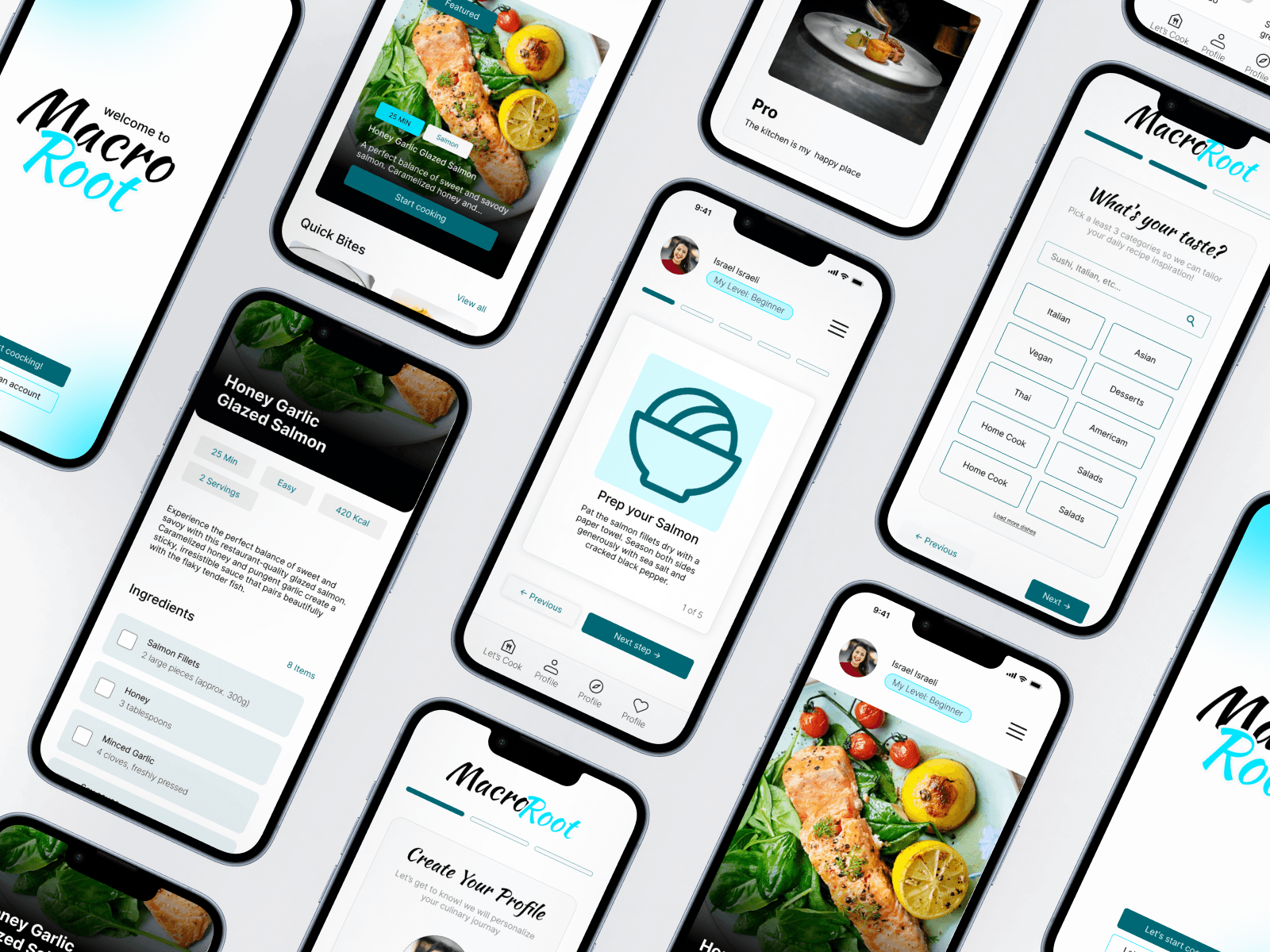
(02) UI design · mobile app
(The Challenge)
People want to cook more but feel intimidated by complex recipes and cluttered apps. Macro Root needed to strip away the noise and make the path from ingredient to table feel genuinely easy.
(The Solution)
The goal was a recipe app that works for beginners who want quick meals and for enthusiasts ready to level up — all within a single, cohesive visual system. Two modes, one experience, zero confusion.
(01)
Home cooks were frustrated - not just by complex recipes, but by having to search across multiple platforms and websites to find what they wanted. Macro Root brings all the popular recipes into one place.
(02)
Structured the app around two modes -Quick and Pro. Beginners and enthusiasts could navigate the same content at different depths, without feeling lost or overwhelmed.
(03)
UI Design
Bold food photography, minimal text on cards, and swipeable step-by-step screens.
Designed the browse flow, recipe view, saved meals, and both mode interfaces.
(04)
Ran usability tests mid-cook - the biggest drop-offs were in the step flow. Simplified the actions and spacing based on where users lost confidence, then handed off with a full component library.
(Design system)

(Key screens)


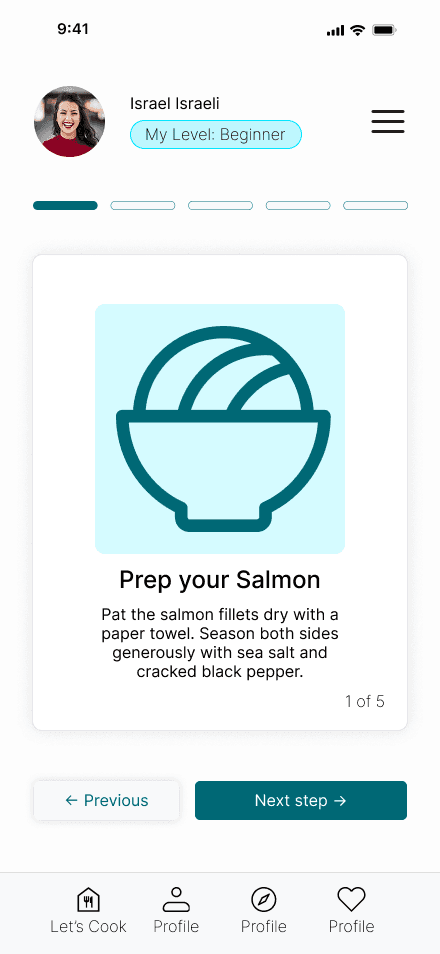
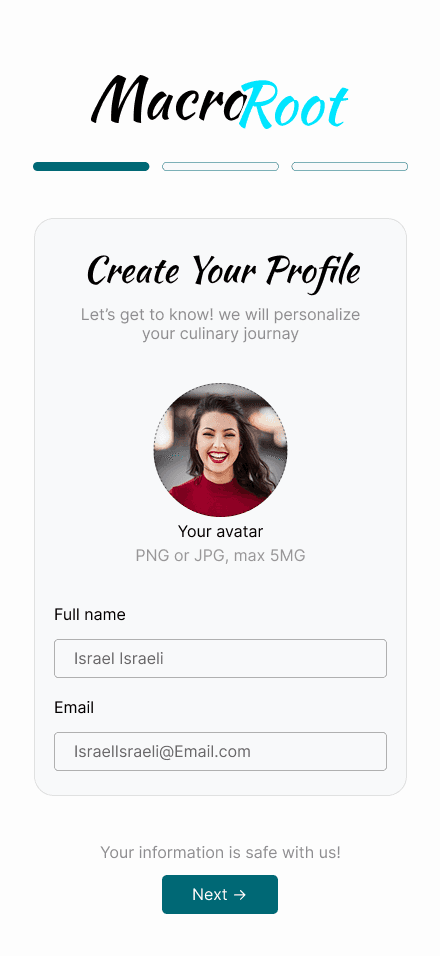

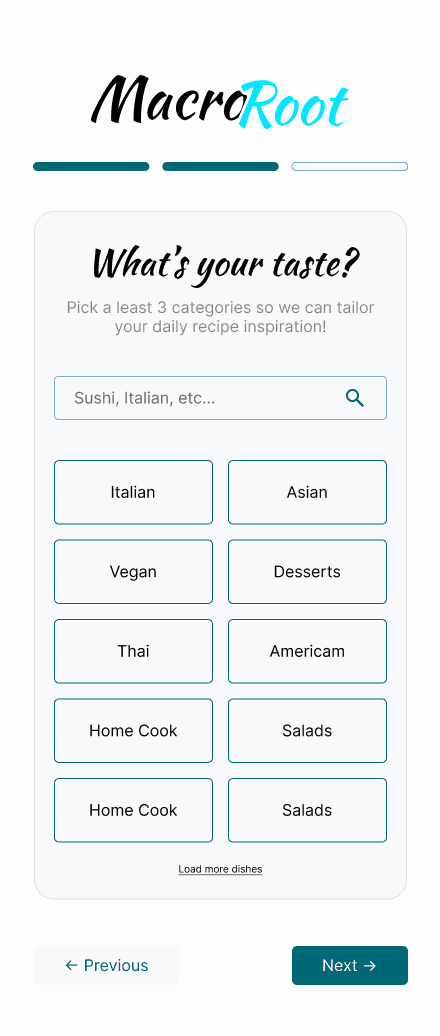

Users moved from browsing to starting a recipe with fewer taps and far less hesitation.
The two-mode structure removed the decision paralysis at entry.
More recipes explored per session. Visual-first browsing meant users were actually engaged - appetite led the navigation, not filters.
“I actually made it through the whole recipe without losing my place.” - Beta tester.
Step-by-step confidence was the most praised feature in testing.
